First class of Rhino
Rhino is a modelling software that works great with autoCAD. It’s easy to import your cad-plans and then visualize it. It’s also a good toll to build models from scratch.
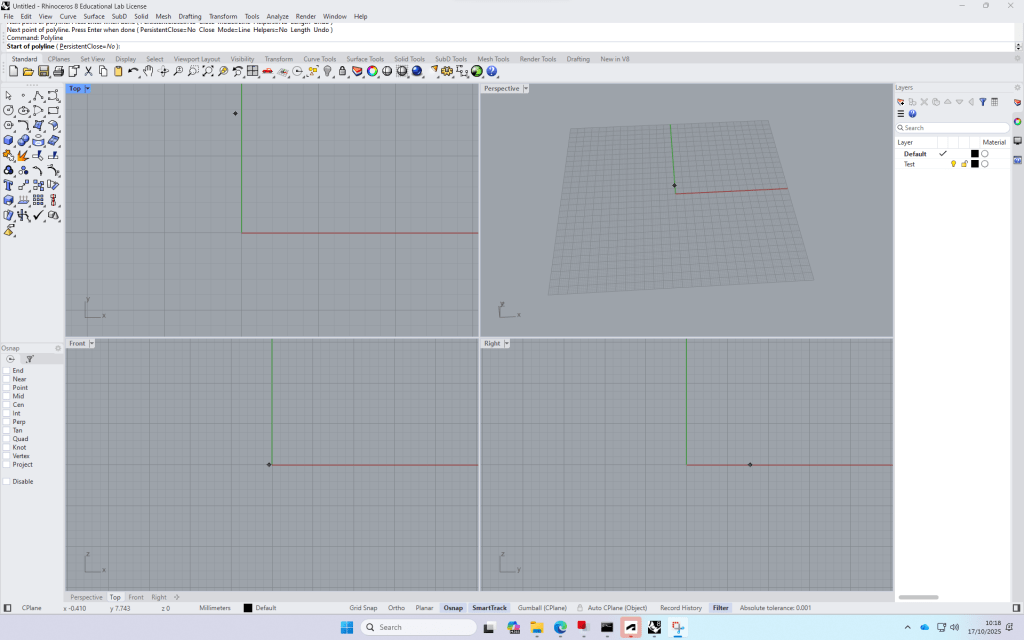
Build up: Four views -> can be opened by double clicking on the
The commands are very similar to AutoCAD.
+ with the time, the program remembers your favourite commands, so tying in few letters
Layers
Bottom bar, very similar to autocad
Create a rectangle (Top view)
Switch to Perspective view and type in “ExtrudeCrv”, then drag the midpoint of the line and type in the distance (height) of the block.
Copy the block and type in the required distance, repeat.
Switch to Front view to create the Rails. draw the outline of the right side of the rail, join the polylines, fillet the edges. Then mirror the profile to complete this
How to create a Terrain model from digimap terrain downloads:
- Download the required Area on Digimap
- Open a new file and import the
 Noah's Landscape Journal
Leave a comment